Dashboard
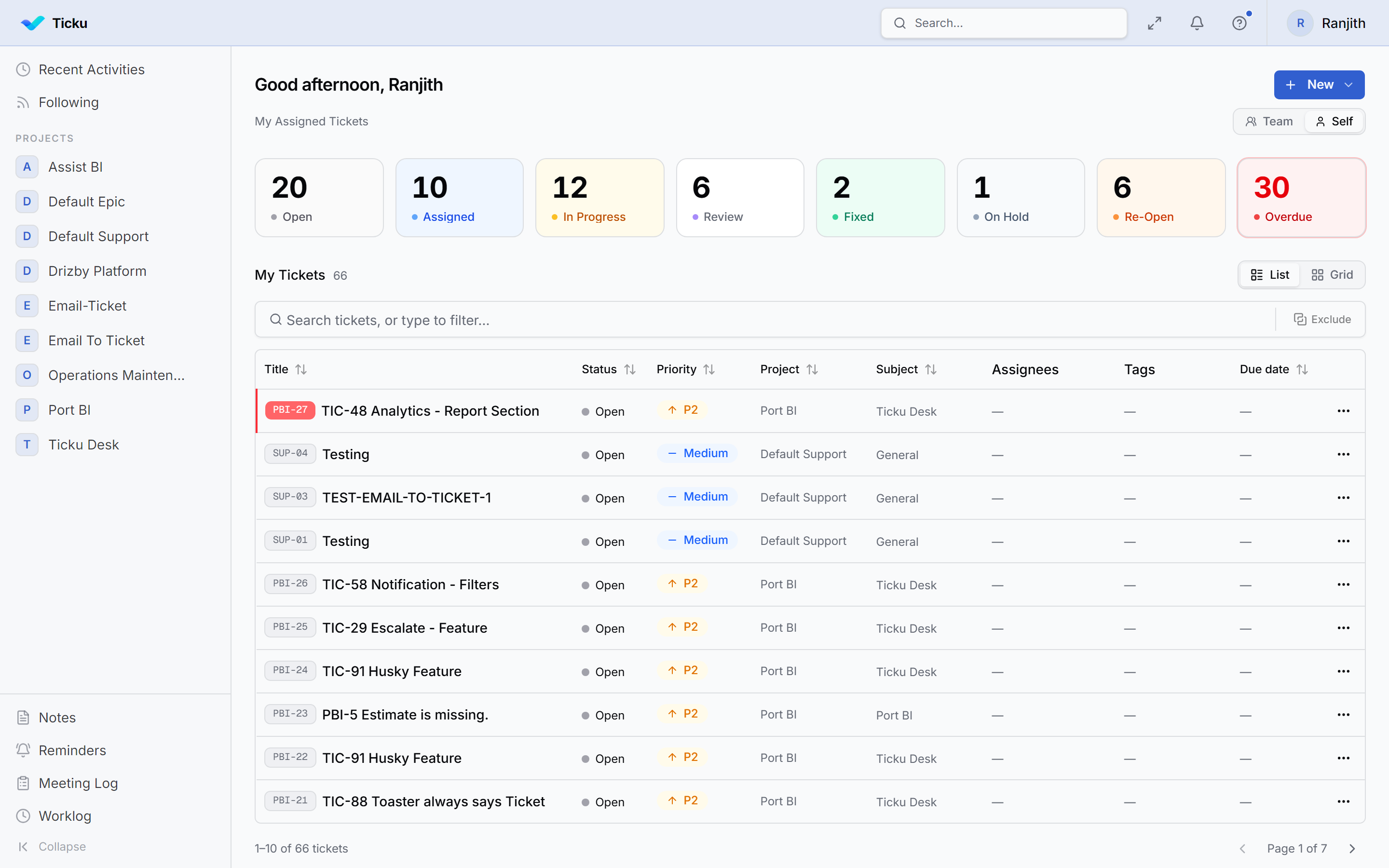
Your landing page — a summary of work across every project you belong to in the active tenant.
What's on it
Status tiles across the top count your tickets by status — Open, Assigned, In Progress, Review, Fixed, On Hold, Re-Open — plus Overdue. Click one to filter the list beneath it.
Self / Team switches the whole view between your own queue and your team's.
My Tickets lists the matching tickets, in either List or Grid layout. Columns — Title, Status, Priority, Project, Subject, Assignees, Tags, Due date — are sortable, and rows carry an indicator when a ticket has sub-tasks.
The filter bar
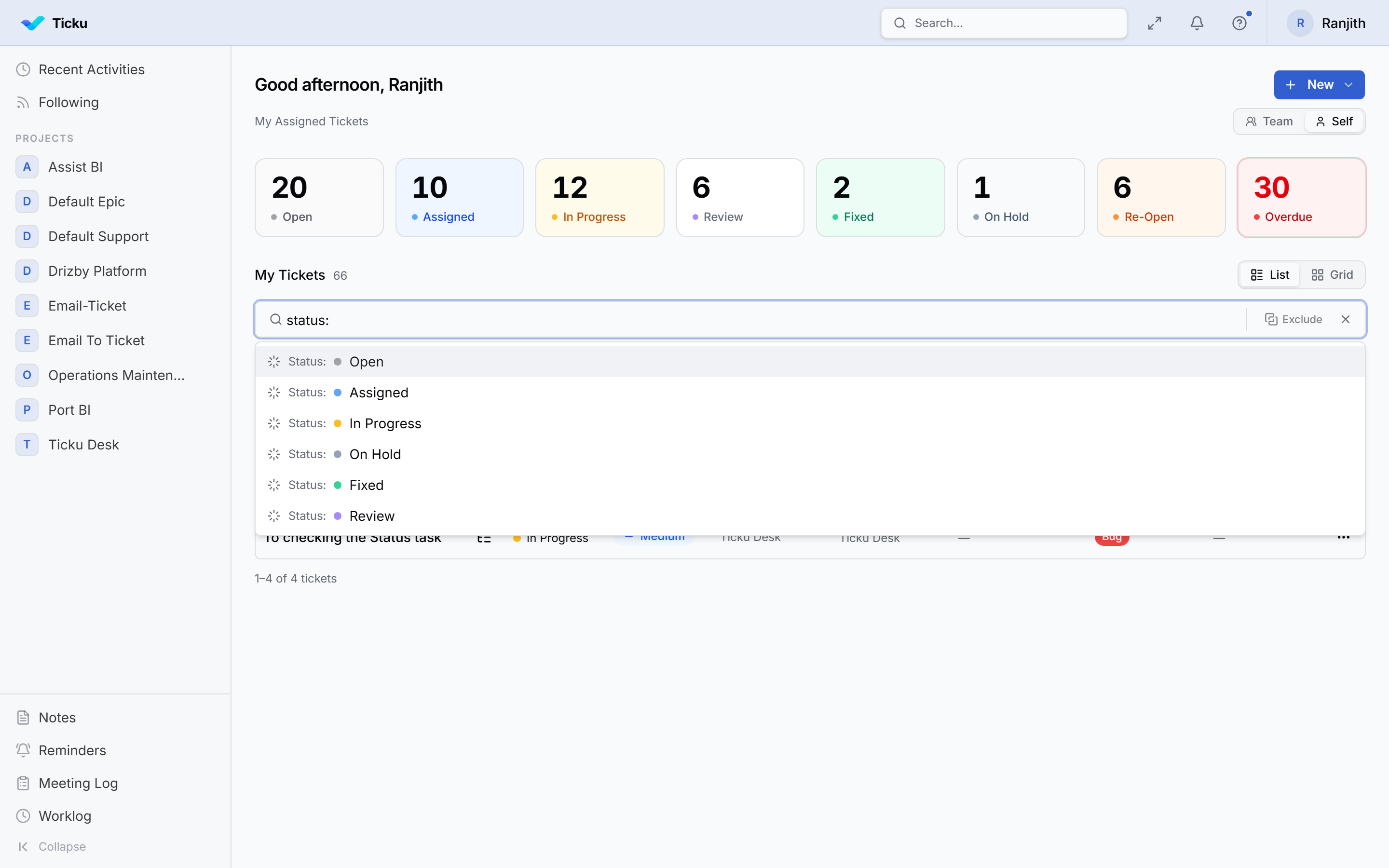
The bar under My Tickets narrows the list. It works by chips, not free-typed syntax: type a filter key followed by a colon and pick a value from the dropdown.
Filter keys
| Type | Filters on |
|---|---|
assignee: | Who it's assigned to |
createdby: | Who raised it |
project: | Project |
type: | Project type — Support, Consulting, Dev, Epic |
subject: | Subject folder |
status: | Workflow status |
priority: | Priority |
tag: | Tag |
role: | Your role on the ticket |
dueby: | Due on or before a date you pick |
duewithin: | Due inside a date range |
has: | Has an Attachment, Notification, Reminder, or Worklog |
Combining filters
- Two chips with different keys are AND-ed —
status:Open+priority:Highmeans both. - Two chips with the same key are also AND-ed. That's how you express "assigned to both Ranjith and Arun" — one chip each.
- Several values inside one chip are OR-ed.
Exclude inverts a condition, turning "is" into "is not".
The × at the end of the bar clears everything.
Free-text search
Text typed without a key: prefix searches ticket titles and descriptions. It is whole-word matching via PostgreSQL full-text search, not substring — so log matches "log", "logs", and "logging", but not "login".
| You type | Matches |
|---|---|
log | The whole word "log" (and its stems) |
log* | Words starting with "log" — including "login" |
*log | Words ending with "log" |
*log* | Anywhere in the word — plain substring |
login bug | The literal phrase — a space is text, not an operator |
login + payment | AND — both terms |
login , payment | OR — either term. Binds tighter than + |
"a + b" | Quoted: + and , inside are literal text |
A lone * matches nothing rather than everything.
:::note Two different search tools
This bar filters the dashboard's own list. To jump to any ticket or sub-task from anywhere in the app, use Global Search (Ctrl+K).
:::
Elsewhere in the sidebar
- Recent Activities — what changed across your projects, newest first
- Following — tickets and sub-tasks you're subscribed to
- Projects — every project you're a member of
- Notes, Reminders, Meeting Log, Worklog
Tips
- Start the day on Self, then switch to Team to see where everyone else is.
has:Worklogis a quick way to find what you've already logged time against.- Combine
dueby:withstatus:to build a "what's late and still open" view.