Status Customization
Admin → Statuses lets you customize how ticket and sub-task statuses appear to users — without changing the underlying status codes.
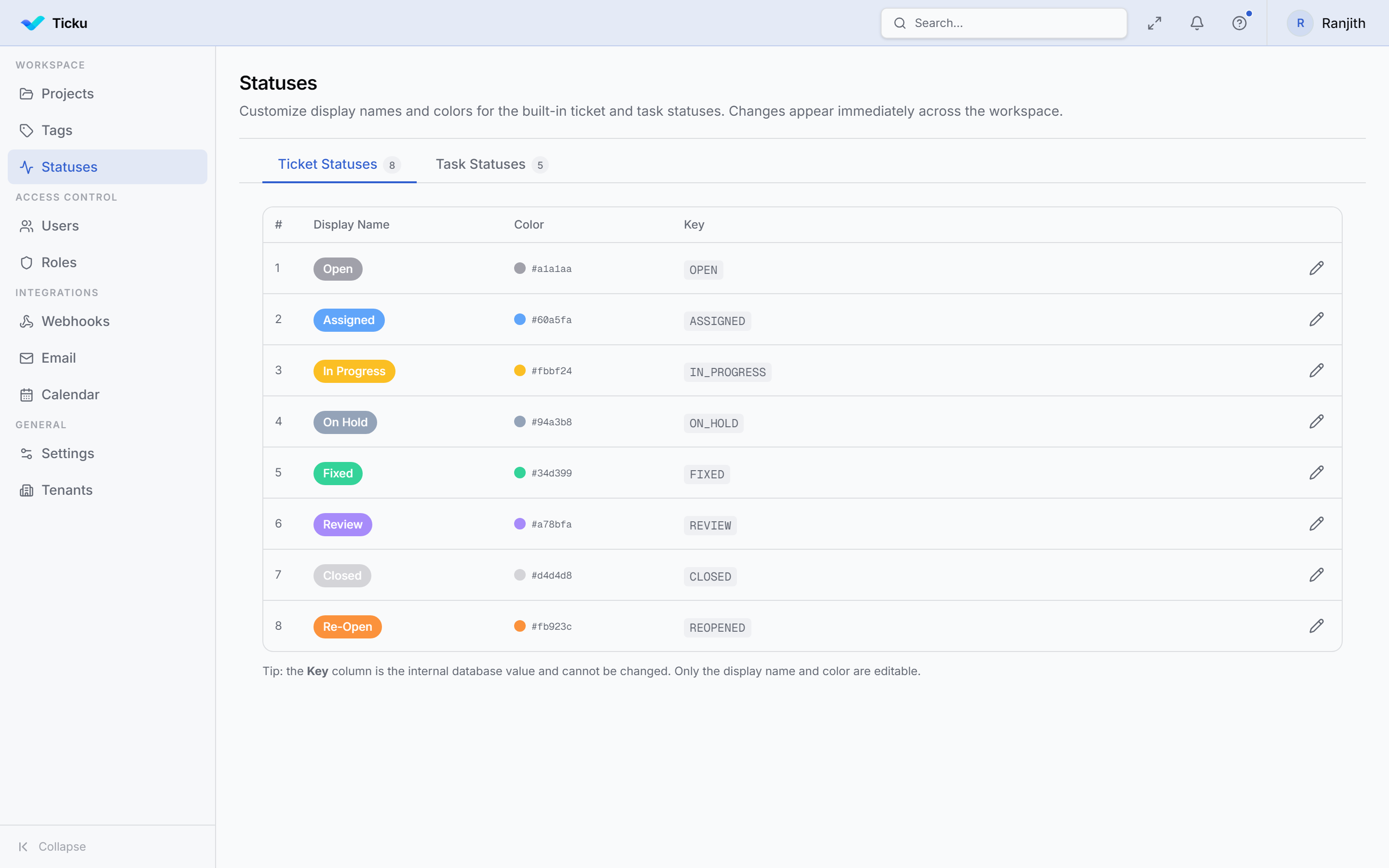
What You Can Customize
For each status you can set:
- Display name — what users see in dropdowns and badges (e.g. rename
FIXEDtoDoneorResolved) - Color — the badge/chip color shown in the UI
:::note Which statuses a project uses is set by its type
Each project type has its own workflow — for example Support uses ASSIGNED but Consulting/Dev don't, and Epic uses a simplified set and shows OPEN as "Active". The display names/colors here apply across types; the workflow itself comes from the type.
:::
Ticket Statuses
| Code | Default Name |
|---|---|
| OPEN | Open |
| ASSIGNED | Assigned |
| IN_PROGRESS | In Progress |
| ON_HOLD | On Hold |
| DEFERRED | Deferred |
| REVIEW | In Review |
| FIXED | Fixed |
| CLOSED | Closed |
| REOPENED | Reopened |
Sub-task Statuses
| Code | Default Name |
|---|---|
| OPEN | Open |
| ASSIGNED | Assigned |
| IN_PROGRESS | In Progress |
| COMPLETED | Completed |
| REOPENED | Reopened |
note
Status codes are fixed — only the display name and color can be changed. The codes are what the API and permissions use internally.