Managing Inboxes
Admin → Email lists every mailbox the tenant ingests from, with its default project, provider, and connection health. Inboxes can be filtered by status and provider, or searched by inbox name, mailbox address, or project.
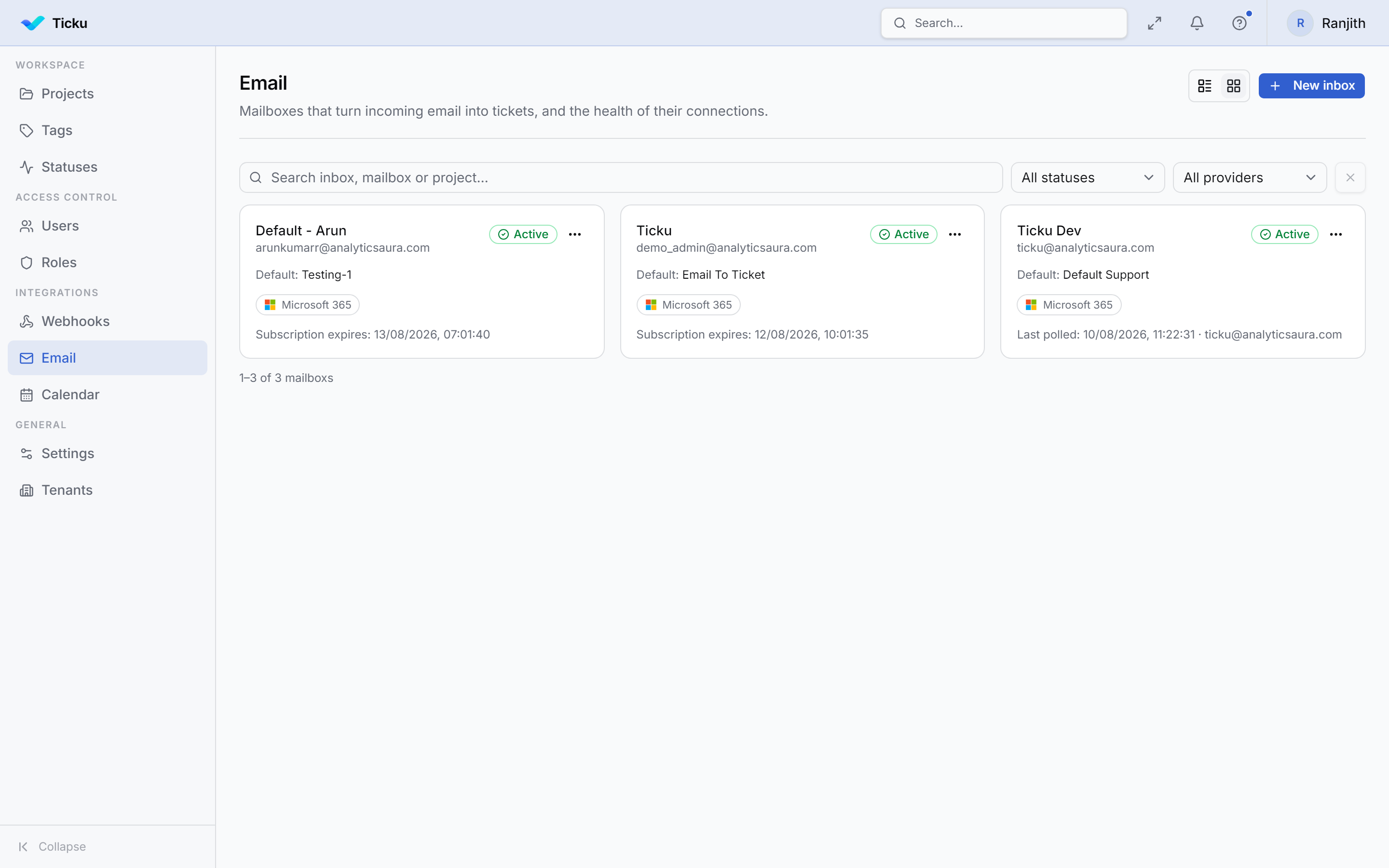
Each card shows the health signal that matters for its connection mode: push inboxes show Subscription expires, polled inboxes show Last polled and the connected account.
Creating an inbox
- New inbox, then give it a display name and the mailbox address to watch.
- Choose a default project — required, and it must be a Support project.
- Pick a connection mode and complete its sign-in or credential step.
- Test connection, then enable the inbox.
- Optionally add routing rules to send some of its mail elsewhere.
:::note Save the address before connecting The delegated sign-in flow needs the mailbox address already saved — it pre-fills the Microsoft account chooser with it. Ticku will tell you to save first if you try to connect without one. :::
Settings
Ticket defaults
| Setting | Purpose |
|---|---|
| Default project | Where mail lands when no routing rule matches. Required; Support projects only |
| Default priority | Priority given to tickets created from this mailbox |
Outbound notifications
Which events send a reply on the ticket's email thread. Each can be overridden per routing rule.
| Setting | Default | Behaviour |
|---|---|---|
| Send acknowledgement | On | Replies once when the ticket is created |
| Notify on comment | Off | Mails the requester on every comment. Off by default because comments carry no internal/public distinction — on means internal team discussion goes to the customer verbatim. An agent can opt one comment in with @creator |
| Notify on status change | On | Mails on any status transition. This covers assignment too: assigning auto-transitions OPEN → ASSIGNED, so a separate assignment toggle would make the same real-world event send different mail depending on whether the agent used the assignee picker or the status dropdown |
Filtering
| Setting | Default | Behaviour |
|---|---|---|
| Ignore no-reply senders | On | Drops mail nobody can reply to — noreply@-style senders, plus bounces and delivery reports from mailer-daemon, postmaster, and list bounce addresses |
After-process action
What happens to the source message once it has become a ticket or a comment.
| Action | Effect |
|---|---|
| Mark read (default) | Leaves the message in place, flagged read |
| Move | Moves it to a folder you name |
| Delete | Deletes it from the mailbox |
| None | Leaves it untouched |
:::caution "None" re-reads mail on polled inboxes
Unread state on the server is what drives an IMAP poll. Leaving messages untouched means the poller keeps seeing them — ingestion de-duplicates on Message-ID, so no duplicate tickets are created, but every cycle does needless work. Prefer Mark read or Move.
:::
Disabling and deleting
Disabling stops ingestion and leaves everything configured. Disconnecting a delegated mailbox clears its token and disables the inbox at the same time.
Inboxes are soft-deleted — the row survives so the tickets it created keep their link. Deleting an inbox cascades to its routing rules; tickets it produced are unaffected and simply lose the reference.
Deleting a project that an inbox defaults to is refused, not cascaded. An inbox is shared across projects, so cascading would let removing one project destroy a mailbox — and every routing rule on it — that several other projects still receive mail through.
Retired settings
If you're coming from an older deployment, these are gone:
| Removed | Why |
|---|---|
Per-tenant Azure credentials (MicrosoftMailConfig) | Mail now uses the platform SSO app registration against the tenant's registered Entra directory. There is nothing to type in |
| Auto-create ticket toggle | With it off, mail produced no ticket and no record while both transports still marked it read — messages vanished silently. An inbox exists to create tickets, so this is now unconditional |
| Allowed / blocked sender domains | Duplicated routing and actively fought it: a domain missing from the allow-list had its routing rule rejected before the rule was consulted, with nothing to indicate why. The allow-list was also suppressing bounces by accident. Blocking a sender is the mail provider's job |
| Per-project email config | An inbox is tenant-owned and routes to projects. See Routing Rules |